MindAptix | AI-Powered Development Agency

Uncover proof of MindAptix impact across 3000 + digital deliveries for 35+ industries. EXPLORE NOW! Uncover proof of MindAptix impact across 3000+ digital deliveries for 35+ industries. EXPLORE NOW!
Uncover proof of MindAptix impact across 3000+ digital deliveries for 35+ industries. EXPLORE NOW! Uncover proof of MindAptix impact across 3000+ digital deliveries for 35+ industries. EXPLORE NOW!

Blog

cost

How Much Does It Really Cost to Build an AI-Powered App?

AI-powered apps are no longer “future tech.” They’re already shaping how businesses sell, support, analyze data, and automate operations. From AI chatbots and recommendation engines to predictive analytics and smart automation, companies across industries are investing heavily in intelligent applications. But one question comes up every single time before a project starts: How much does it really cost to build an AI-powered app? The honest answer? There’s no fixed price. AI app development costs depend on many moving parts-features, data complexity, platforms, and the team behind the product. This guide breaks down those factors in a clear, realistic way so growing businesses can plan budgets without surprises. Why AI App Development Costs More Than Traditional Apps Before discussing numbers, it’s important to understand why AI-powered apps cost more than standard mobile or web applications. Traditional apps follow predefined rules. AI apps, on the other hand, learn from data, adapt over time, and require additional layers such as: Data collection and preparation Machine learning models AI training and testing Ongoing optimization Because of this, the mobile app development cost for AI-based products is usually higher than non-AI apps. However, when built correctly, AI apps often deliver stronger long-term ROI through automation, personalization, and efficiency gains. Key Factors That Influence AI App Development Cost Let’s break down what actually determines the app development cost for an AI-powered application. App Complexity and AI Features The biggest cost driver is what the app actually does. Basic AI features may include: Chatbots for customer support Smart search or filters Simple recommendation systems Advanced AI features include: Computer vision (image or video recognition) Voice recognition and NLP Predictive analytics Real-time personalization Fraud detection or behavioral analysis The more advanced the AI logic, the higher the app development cost. Businesses often underestimate this and expect AI to behave like a plug-and-play feature-it’s not. Data Requirements and Preparation AI runs on data, not magic. If your business already has clean, structured data, development becomes easier. If not, data collection, labeling, cleaning, and validation add significantly to how much app development cost rises. For example: A recommendation engine for ecommerce needs customer behavior data A healthcare AI app needs high-quality, compliant datasets A chatbot needs training data tailored to real user conversations Data-related work is one of the most overlooked expenses in AI app development. Platform Choice: Mobile, Web, or Both The platform you choose has a direct impact on mobile app development cost. Single platform (Android or iOS): Lower cost Cross-platform development: Balanced cost and reach Web + mobile apps: Higher initial investment Many companies start with one platform, validate the idea, and expand later. This phased approach helps control app development cost while keeping growth flexible. UI/UX Design Expectations AI apps still need to feel human. Poor design can make even the smartest app unusable. Custom UI/UX design adds cost but improves: User adoption Engagement Retention Well-designed AI apps simplify complex processes and present insights clearly, which is especially important for business users and ecommerce customers. Ecommerce AI Apps Cost More Than Standard Apps If you’re planning an AI-powered ecommerce application, expect a higher budget. Why? Because ecommerce mobile app development cost includes: Product recommendation engines Personalized pricing or offers AI-driven search Inventory prediction Customer behavior analytics AI transforms ecommerce performance, but it also increases development scope, testing needs, and long-term maintenance. Typical Cost Ranges for AI App Development While exact pricing varies, here are realistic cost ranges based on project scope: Basic AI-powered app: $25,000 – $50,000 Mid-level AI app: $50,000 – $100,000 Advanced AI-powered app: $100,000 – $250,000+ These numbers include design, development, AI integration, testing, and deployment. The final cost depends heavily on the app programming companies you choose and their experience level. How App Development Companies Cost Varies by Location Another major factor is where your development team is based. US-based companies: Higher hourly rates, strong business alignment Offshore or hybrid teams: Lower cost with skilled execution Mixed delivery models: Balanced quality and budget Many businesses partner with experienced teams that offer global delivery while maintaining strong communication and quality standards. This approach helps optimize app development companies cost without sacrificing results. Hidden Costs Businesses Often Forget When calculating how much app development cost might be, many businesses forget about post-launch expenses. These include: AI model retraining Cloud infrastructure and hosting Ongoing data management Performance optimization Feature upgrades AI apps evolve over time, so budgeting for continuous improvement is essential. Why Cheaper Isn’t Always Better in AI Development It’s tempting to go with the lowest quote. But with AI apps, cheaper often leads to: Poor model accuracy Scalability issues Security risks Higher long-term costs Experienced app programming companies understand how to balance performance, scalability, and cost efficiency. Investing upfront often saves money later by avoiding rework and technical debt. How to Control AI App Development Cost Without Cutting Corners Smart planning can significantly reduce unnecessary expenses. Best practices include: Starting with a minimum viable product (MVP) Using pre-trained AI models where possible Prioritizing features based on business impact Choosing scalable architecture from day one This approach allows businesses to test AI value before committing to large budgets. Is an AI-Powered App Worth the Investment? For many growing companies, the answer is yes-but only when AI solves a real problem. AI apps deliver value by: Reducing operational costs Improving customer experience Increasing conversion rates Automating repetitive tasks When aligned with business goals, the return often outweighs the initial mobile app development cost. Final Thoughts So, how much does it really cost to build an AI-powered app? The truth is, it depends on what you build, how smart it needs to be, and who builds it. AI app development is an investment, not an expense-and when done right, it creates long-term competitive advantage. Understanding app development cost, planning realistically, and working with experienced app programming companies helps businesses avoid surprises and build AI products that actually perform. Whether you’re exploring your first AI feature or planning a full-scale intelligent platform, thoughtful planning and the

How Much Does It Really Cost to Build an AI-Powered App? Read More »
AI Adoption

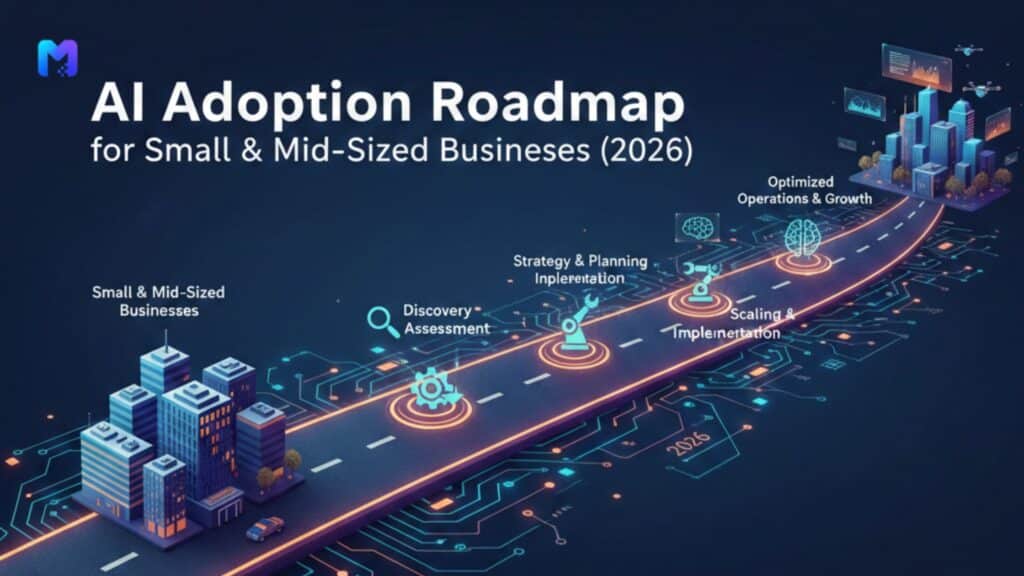
AI Adoption Roadmap for Small & Mid-Sized Businesses

A restaurant owner once told me, “Everyone keeps talking about AI like it’s electricity. But I don’t even know where the switch is.” That sentence perfectly captures where most small and mid-sized businesses stand today. AI feels powerful, inevitable, expensive and confusing. And most importantly, AI feels risky when you don’t fully understand it. By 2026, AI will no longer be something businesses “experiment with.” It will be something businesses either use intelligently or quietly fall behind without realizing why. The real challenge is not whether to adopt AI. The real challenge is how to adopt it without wasting money, breaking trust, or overwhelming teams. At MindAptix Technologies, many conversations start with hesitation: “We are too small for AI.” “Our data isn’t ready.” “It sounds expensive.” “What if it complicates things?” These concerns are valid. This roadmap is built for exactly those realities. Why 2026 changes everything for SMBs Until recently, AI felt like something only large enterprises could afford. That has shifted dramatically. Costs have come down. Tools have matured. Access has widened. Expectations have risen. Customers now expect smarter experiences. Employees expect smarter tools. Competitors are quietly improving operations using automation and intelligence. This doesn’t mean every small business needs advanced AI labs. It means every serious business needs a clear, realistic adoption path. That’s what this roadmap offers. Step 1: Start with business friction, not technology ambition The biggest mistake businesses make with AI is starting with the tool instead of the problem. They ask: “Which AI tool should we use?” “Which model is best?” “Which vendor sounds impressive?” But successful companies start elsewhere. They ask: Where are we losing time every week? Where are teams frustrated? Where do customers drop off? Where do mistakes repeat? Step 2: Build digital foundations before adding intelligence Many businesses want AI before they have solid systems. That leads to disappointment. Before meaningful AI adoption, most SMBs need: Clean data structures Well-organized databases Stable applications Reliable reporting Defined workflows This is where investments like custom web application development become critical. Not because custom solutions are trendy, but because they create clarity. Without clarity in data and processes, AI simply amplifies confusion. A cluttered system with AI added becomes a faster mess. A structured system with AI layered on becomes powerful. This is why strong saas development services and engineering teams often recommend foundational improvements before any AI investment. Step 3: Use AI first for internal efficiency, not customer-facing features A practical roadmap starts internally. Internal AI use cases are: Lower risk Easier to measure Faster to iterate Less visible to customers Highly impactful By 2026, most smart SMBs will use AI internally for: Summarizing meetings Drafting internal documentation Automating routine reporting Analyzing operational data Supporting customer support agents Sorting inbound inquiries This improves productivity without changing the customer experience immediately. Many businesses we’ve worked with saved dozens of hours per month simply by applying AI to internal workflows. That time compounds. That energy shifts. That’s real ROI. And importantly, it builds confidence before moving toward customer-facing AI features. Step 4: Apply AI to revenue-impact areas carefully Once internal efficiency improves, the next step is applying AI where it touches revenue. This is where areas like ecommerce mobile app development become powerful. Examples that consistently work when implemented thoughtfully: Personalized product recommendations Smart product search Predictive offers based on behavior Smarter email segmentation Intelligent pricing adjustments Behavioral analytics on checkout flows These are not gimmicks. These are practical improvements that often increase conversion rates and repeat purchases. However, they must be implemented carefully. Poor personalization feels creepy. Bad predictions feel annoying. Strong implementation feels invisible and helpful. That difference depends on thoughtful design, not just technology. Step 5: Be realistic about mobile app development cost and ROI By 2026, more SMBs will consider AI-enabled mobile experiences. But many underestimate mobile app development cost and overestimate immediate returns. The truth: A well-built app is an investment, not a shortcut AI inside an app should solve real user problems Not every business needs a mobile app Poorly built apps harm trust faster than they help growth This is why mature businesses consult experienced teams like the best app development companies before jumping into development. Good partners ask difficult questions: Why do users need an app? What behavior will change because of it? What business metric will improve? What ongoing investment will maintenance require? These questions protect businesses from expensive mistakes. Step 6: Industry-specific AI adoption requires deeper care Not all industries can treat AI the same way. Healthcare, for example, carries deeper responsibility. Healthcare software development involves: Sensitive data Compliance requirements Ethical responsibilities Trust with patients Accuracy concerns AI in healthcare can help with: Reducing administrative burden Improving scheduling Supporting diagnostics Managing documentation Streamlining patient communication But it must be implemented responsibly. That’s why healthcare companies look for specialized teams rather than general vendors. By 2026, healthcare organizations that handle AI thoughtfully will improve care delivery while maintaining trust. Those who rush will face regulatory and reputational risks. Step 7: Partner selection matters more than tool selection Tools change quickly. Partners shape outcomes. Many SMBs waste money not because AI fails, but because their vendors fail. Strong partners behave differently from average agencies. The best app development companies tend to: Speak honestly about limitations Say no to bad ideas Focus on outcomes instead of features Educate clients instead of confusing them Think long-term instead of chasing quick wins MindAptix Technologies operates in this space: working as a strategic partner rather than a delivery-only vendor. This is what SMBs increasingly need in the AI era. By 2026, businesses will succeed not based on who uses the newest tools, but based on who chooses the wisest partners. Step 8: Measure progress in outcomes, not activity One of the quiet failures in AI adoption is measuring the wrong things. Teams often track: Number of AI features added Number of tools purchased Number of automations created But the only metrics that matter are: Revenue changes Cost savings

AI Adoption Roadmap for Small & Mid-Sized Businesses Read More »

MVP vs POC vs Prototype

MVP vs POC vs Prototype: A Founder’s Complete Guide

If you’re building a product, this question shows up sooner than expected: Should I start with a POC, a prototype, or go straight to MVP? Most founders don’t get stuck because they lack ideas. They get stuck because they choose the wrong starting point and burn time, money, and momentum. I’ve seen smart founders waste months building the wrong thing simply because they didn’t understand the difference between MVP vs POC vs Prototype. So let’s break this down in plain language, without theory, without jargon, and without the usual “consulting-style” fluff. Why this confusion happens so often When you talk to agencies, developers, investors, and product mentors, everyone throws these terms around like they mean the same thing. They don’t. A startup founder hears: “You need a POC first” “You should build a prototype” “You must launch an MVP quickly” And ends up confused because nobody explains when to use what. The truth is simple: Each serves a different purpose, at a different stage, for a different risk. Once you understand that, your product decisions become clearer. What is a POC (Proof of Concept)? A POC answers one question only: Is this technically possible? You build a POC when you’re unsure whether something can even work. It’s not about design. It’s not about users. It’s not about growth. It’s about feasibility. Example situations: Can AI accurately analyze legal documents? Can blockchain handle this transaction load? Can IoT sensors reliably transmit data in rural agriculture? Can your idea for an agriculture mobile app function with low internet bandwidth? A POC is often ugly. Sometimes it’s just backend code. Sometimes it’s a script. Sometimes it’s a rough internal demo. And that’s perfectly fine. Because the goal is not to impress users. The goal is to reduce technical risk. Many founders skip this step and regret it later when they realize their idea doesn’t scale or breaks under real conditions. What is a Prototype? A prototype answers a different question: Will users understand this product? This is where design, user experience, and flow matter. A prototype looks like the product. It feels like the product. But it usually isn’t fully functional. You build a prototype when: You want investor feedback You want early user feedback You want to validate user flow You want to test assumptions before development This is extremely common in: SaaS dashboards Fintech apps Healthcare platforms Real estate web development platforms where UX matters heavily Consumer-facing ecommerce ideas A clickable Figma design, a low-code interactive demo, or a front-end-only build can all count as prototypes. A prototype is not about engineering depth. It’s about clarity of experience. What is an MVP (Minimum Viable Product)? An MVP answers the most important question: Will people actually use this and pay for it? This is where real validation happens. An MVP is not a half-baked product. A good MVP is: Functional Useful Stable Focused on one core problem It just doesn’t have extra features yet. When founders build MVPs properly, they: Launch faster Get real feedback Adjust based on data Save huge development costs This is exactly why most serious startups work with experienced partners like the best mobile app development company in India instead of hiring random freelancers who build without strategy. POC vs Prototype vs MVP: Simple comparison Stage Purpose Focus Audience POC Prove feasibility Tech viability Internal team Prototype Validate usability UX & flow Users / investors MVP Validate business Real usage & revenue Real customers Each step answers a different risk: POC reduces technical risk Prototype reduces usability risk MVP reduces market risk Skipping the right step increases failure chances. Real-world examples founders can relate to Let’s say you’re building: 1. An ecommerce platform You might: Start with a POC to test payment gateway scalability Then build a prototype to validate checkout flow Then launch MVP with core buying/selling features This is exactly how strong ecommerce mobile app development company teams structure projects. 2. A real estate platform With real estate web development, UX matters heavily. So: Prototype becomes crucial to test listing flow Search filters Property comparisons Agent dashboards Skipping prototype here usually leads to poor engagement. 3. An agriculture mobile app For rural users, performance and offline usability matter. So: POC helps test offline syncing Prototype helps test language usability MVP proves whether farmers actually adopt it Each stage plays a real role. Why most founders choose the wrong approach Because they listen to bad advice. Some agencies push MVP when a POC is needed. Some freelancers build prototypes when founders need market validation. Some founders jump into full development because they’re emotionally attached to the idea. This leads to: Wasted budgets Feature-heavy products nobody uses Burnout Pivoting too late I’ve seen this repeatedly. You don’t fail because your idea is bad. You fail because you validate the wrong thing at the wrong time. Where mobile app development strategy really matters If you’re working on: Hybrid mobile app development ios app development services Cross-platform SaaS Consumer apps Enterprise dashboards Your development partner should guide you on whether to build: A POC A prototype Or a lean MVP Not every project should jump straight into development. Strategic product thinking separates average agencies from the best mobile app development company in India. The founder mindset shift that changes everything You stop asking: How fast can I build this? You start asking: What risk am I trying to reduce first? Because building fast is useless if you’re building the wrong thing. Because spending money on development is dangerous if you haven’t validated demand. Because design polish is meaningless if the core value is unclear. This is where experienced product teams add real value. When should you build each? Build a POC when: You’re unsure if the tech will work Your idea relies on complex architecture You’re using emerging tech (AI, ML, blockchain, IoT) Performance, security, or scalability are critical Build a Prototype when: You need user validation You’re pitching investors You’re testing flows and experience You’re unsure how people

MVP vs POC vs Prototype: A Founder’s Complete Guide Read More »

AI vs Automation vs RPA: What Should Businesses Choose?

AI vs Automation vs RPA: What Should Businesses Choose?

Every business today hears the same advice: “Use AI”, “Automate everything”, “Adopt RPA”.It sounds exciting, but it also creates confusion. Leaders often nod in meetings without fully understanding what each term actually means. Teams invest in tools that look impressive on paper but deliver very little impact. If you are running a business, managing operations, or planning digital growth, you don’t need buzzwords. You need clarity. This article breaks down AI, Automation, and RPA in plain language so you can make practical decisions without getting lost in technical jargon. The Real Problem Businesses Are Trying to Solve Most companies don’t wake up wanting “AI”. They wake up wanting: AI, Automation, and RPA are simply different ways to achieve those goals. The right choice depends on how your business actually works day to day. What Automation Actually Means in Real Life Automation is the simplest layer. It’s about setting rules so routine tasks happen without human involvement. Think about: No intelligence. No learning. Just “If this happens, do that.” Automation is extremely useful because most businesses run on repetitive processes. Removing even small manual steps can save hours every week. Best use cases for automation Automation is affordable, low risk, and often the first step toward smarter operations. What RPA Looks Like Inside a Company RPA (Robotic Process Automation) is a step further. Instead of integrating systems directly, RPA bots behave like virtual employees. They can: This is extremely helpful when companies rely on older systems that don’t connect easily. Example that feels real A finance executive once shared that two employees spent almost their entire week downloading reports from one system and uploading them into another. After RPA implementation, the bot completed the same work every morning before anyone logged in. The result wasn’t just time savings. It reduced errors and improved team morale. The limits of RPA RPA still follows rules. If something changes on the screen, or an unexpected scenario occurs, the bot can fail. It’s efficient, but not intelligent. Where AI Fits Into the Picture AI is different because it brings learning into the system. It does not just follow instructions. It improves with data. AI systems can: Businesses using professional ai software development services typically go beyond efficiency. They focus on smarter products, better user experience, and stronger competitive advantage. Real-world AI examples AI is powerful, but it requires strategy. Without the right data and goals, it can become an expensive experiment. Simple Breakdown: Automation vs RPA vs AI Factor Automation RPA AI Learns from data No No Yes Handles complex decisions No Limited Yes Best for Basic workflows Manual system tasks Intelligence-driven use cases Setup complexity Low Medium High Long-term advantage Moderate Moderate Strong None of these options is “better” by default. The best choice depends on your business reality. How Smart Businesses Actually Use These Technologies Most successful companies don’t choose only one. They build layers. Businesses often begin with automation to streamline simple processes.As manual work across systems starts slowing teams down, RPA becomes the next logical step.When the goal shifts toward smarter products and stronger decision-making, investing in AI makes sense. This approach feels natural because it grows alongside the business. The Role of Digital Products in This Decision Technology only works when it fits naturally into your product and user journey. That’s why architecture matters. A strong web application development company designs platforms that support automation, connect smoothly with RPA flows, and allow AI features to grow over time. The same applies to business mobile app development, where users now expect personalization, speed, and intelligent experiences as standard. It’s not about adding features for show. It’s about building systems that make life easier for both teams and customers. Common Mistakes That Waste Time and Budget Jumping straight to AI without fixing basics Some companies try advanced AI while still struggling with broken internal processes. That rarely ends well. Buying tools without a strategy Shiny software looks attractive. Without clear use cases, it becomes shelfware. Treating implementation as a one-time task Automation flows need refinement. RPA bots need monitoring. AI models need retraining. This is ongoing work. A Practical Scenario Picture a mid-sized service company. At first, they automate client onboarding emails and scheduling.Later, they introduce RPA to handle reporting between CRM and billing tools.Eventually, they use AI to predict churn and improve client retention. Each step supports real outcomes: saving time, reducing stress, improving growth. That’s how technology should feel: helpful, not overwhelming. Making the Right Choice When speed and consistency matter most, automation delivers quick results.For businesses struggling with heavy manual work between disconnected systems, RPA is a practical solution.If the goal includes smarter decision-making and stronger personalization, AI becomes a valuable long-term investment. There’s no universal answer. There is only the answer that fits your business today. Companies like Mindaptix often support businesses by aligning technology decisions with product goals, user expectations, and long-term growth, instead of pushing trends that don’t match reality. Final Thoughts AI, Automation, and RPA are not competing options. They are different tools solving different problems. The smartest approach is honest evaluation: When technology is chosen based on real needs instead of hype, it stops feeling like a cost and starts feeling like a competitive advantage. Key Takeaways FAQs

AI vs Automation vs RPA: What Should Businesses Choose? Read More »

Discover the best cross-platform app development frameworks that deliver seamless performance, wider reach, and faster deployment for mobile and web apps.

Best Platforms for Building Cross-Platform Web and Mobile Apps

Best Platforms for Building Cross-Platform Web and Mobile Apps In an era where users expect exceptional experiences on both mobile and web, businesses can no longer afford to operate with siloed development efforts. The evolution of cross-platform app development has transformed how we think about building digital products. One solution codebase, multiple platforms—this is the promise. But achieving it well requires the right mobile application development frameworks and tools, a clear strategy, and an awareness of the trends driving cross‐platform mobile app development. This article will walk you through: What cross‐platform development means today, and why it’s increasingly strategic. Key criteria for choosing the right cross-platform app development frameworks. The best platforms and frameworks available now. Practical guidance on toolchain, workflow, and architecture for success. Emerging trends to keep an eye on as we move toward 2025 and beyond. A summary of how to evaluate and adopt the right stack for your organisation. 1. What is Cross-Platform App Development & Why It Matters When we talk about cross-platform app development, we refer to building applications that run on more than one device platform (e.g., iOS, Android, web) using a shared or unified code base. This stands in contrast to purely native development (where you build separate codebases for each platform) or purely web app development (which runs inside a browser). 1.1 The case for cross‐platform Lower cost and faster time-to-market. As one industry guide puts it: with cross‐platform you can “write once, run everywhere”.  Consistent user experience across devices. By sharing large parts of the business logic and UI, you ensure feature parity and design consistency.  Easier maintenance. Fix a bug or add a feature once, deploy across multiple platforms, rather than repeating efforts.  Scalability into new platforms. Many modern frameworks now support more than mobile (such as desktop or embedded) “for free”. In 2025 this matter more than ever.  1.2 Where cross‐platform fits in your mobile/web strategy It’s helpful to view cross-platform development as one axis in your application development strategy: If you need maximum performance, deep native capabilities (e.g., GPU-intensive, AR/VR, custom platform APIs) → native may still be the right choice.  If you want faster delivery, consistent experience across platforms, cost efficiency, and reach → cross-platform is compelling. Importantly, consider the “mobile application development framework and tools” ecosystem holistically: frontend UI, business logic, backend integration, cloud services, CI/CD pipelines, analytics, etc. 1.3 Why 2025 is a milestone We are entering a phase where cross-platform is no longer “just cost-saving” but a strategic business capability. For example: Frameworks such as Flutter and React Native are evolving to support desktop and embedded in addition to mobile.  AI, edge-computing, and IoT integration are becoming more common, meaning your cross-platform stack must be ready for more than phones.  “Web + mobile + desktop” convergence requires unified toolchains, which makes the right framework choice even more critical. 2. What to Look for in Cross-Platform App Development Frameworks Selecting the right framework is one of the most important decisions in application development. Here are key criteria to evaluate: 2.1 Performance & user experience Even though you share code, users expect native-like responsiveness, smooth animations, and platform-specific UI paradigms (e.g., iOS vs Android). Choose a framework that delivers near-native performance.  2.2 Code reusability and architecture How much of your code (business logic + UI) can you share? A strong cross-platform framework maximises reuse without compromising platform-specific needs.  2.3 Ecosystem and tooling Consider developer tooling (hot reload, debugging, build pipelines), plugin ecosystem for native features (camera, sensors, payment), and community support. For example, Flutter supports rich widgets and hot-reload.  2.4 Platform coverage & future-proofing Does the framework support not just mobile but web, desktop, embedded? Will it scale in the future? For 2025, this is increasingly important.  2.5 Maintainability & vendor neutrality Avoid lock-in; favour open-source or strong community frameworks. Consider how easy it is to maintain, upgrade, and onboard new developers. < 2.6 Integration with backend, cloud & modern toolchains Your Mobile or Web app development  is just one part of the stack. Ensure the framework plays nicely with your backend services, APIs, CI/CD workflows, analytics, and DevOps pipelines. 2.7 Learning curve and team skills Consider your team’s existing skills. If you have web developers comfortable with React, a React-based framework may speed things up. If your team is mobile native heavy (Kotlin/Swift), then perhaps a multiplatform approach is better. 3. Top Platforms & Frameworks for Cross-Platform Mobile/Web Apps in 2025 Below we survey the most relevant frameworks and platforms in the cross-platform space.  3.1 Flutter (by Google) Overview: Flutter is a UI toolkit by Google that uses the Dart language and builds high-performance apps across iOS, Android, web, desktop and embedded. Strengths: Rich widget library enables expressive UI and custom designs. Hot reload accelerates development. Strong ecosystem and growing adoption. Expanding platform support beyond mobile (desktop, embedded) giving “single codebase” more reach.  Considerations: Dart language may require new learning for developers coming from JS, Java, Kotlin. Large app sizes and memory footprint may still lag pure native in resource-constraint environments. Some platform-specific integrations may require native bridging. Ideal for: Startups and companies who prioritise look & feel, faster time-to-market, consistent UI across devices. 3.2 React Native (by Meta) Overview: React Native is built on JavaScript/TypeScript and React, enabling reuse of web-development skills for mobile apps. Strengths: Massive ecosystem and large developer community. High code reuse especially if your team already works with React for web. Mature tooling and many third-party libraries. According to recent data, React Native remains one of the most popular cross-platform frameworks in 2025.  Considerations: Performance overhead due to JavaScript bridge (though new architectures mitigate much of this)  Managing native modules and platform-specific issues may still require mobile expertise. UI consistency may require more work compared to Flutter’s widget-based approach. Ideal for: Organisations with strong web-React proficiency, looking to extend into mobile quickly, sharing logic between web and mobile. 3.3 Kotlin Multiplatform (KMP) Overview: Kotlin Multiplatform enables sharing of business logic across iOS, Android and other platforms (UI can

Best Platforms for Building Cross-Platform Web and Mobile Apps Read More »