MindAptix | AI-Powered Development Agency

Uncover proof of MindAptix impact across 3000 + digital deliveries for 35+ industries. EXPLORE NOW! Uncover proof of MindAptix impact across 3000+ digital deliveries for 35+ industries. EXPLORE NOW!
Uncover proof of MindAptix impact across 3000+ digital deliveries for 35+ industries. EXPLORE NOW! Uncover proof of MindAptix impact across 3000+ digital deliveries for 35+ industries. EXPLORE NOW!

Author name: MindAptix Technologies

Real Estate Website Development

Top 10 Real Estate Website Development Trends in 2026

The real estate industry has officially moved past the “digital brochure” phase. In 2026, a website that simply lists properties and provides a contact form is no longer a tool; it’s a liability. Today’s property buyers—spanning from Gen Z first-timers in Mumbai to institutional investors in London and luxury seekers in New York—demand an ecosystem, not just a search engine. They want speed, predictive intelligence, and a seamless transition from a mobile screen to a physical walkthrough. For CTOs and founders, the challenge isn’t just website development; it’s architecting a scalable platform that integrates fintech, legal tech, and spatial computing. At Mindaptix, we’ve observed a massive shift in how high-growth firms approach their digital presence. Here is how the landscape is shifting and how you can stay ahead. 1. Hyper-Personalization via Predictive Analytics Generic “Recommended for You” sections are dead. In 2026, leading web app development services are focusing on intent-based UI. By leveraging machine learning, platforms now analyze more than just “saved searches.” They look at life events, neighborhood sentiment, and financial readiness. Imagine a user who has been browsing school ratings and proximity to parks. A sophisticated real estate portal won’t just show them three-bedroom houses; it will dynamically reorder the UI to highlight “Family-Centric Features” and provide a “Commute Cost Analysis” specific to their workplace. This level of custom web app development turns a passive browser into a high-intent lead. 2. The Rise of “Phygital” Real Estate: AR & Spatial Integration With the maturation of hardware like Apple Vision Pro and more accessible mobile AR, the “virtual tour” has evolved. We are moving away from static 360-degree photos toward interactive spatial experiences. Modern web app development agencies are now building browsers-based AR tools that allow users to virtually stage a vacant apartment with their own furniture directly through the website. For developers, this means moving toward WebGL and WebXR frameworks to ensure these heavy graphical experiences remain lightweight and responsive on mobile devices. 3. Integrated Fintech & On-Platform Transaction Management The biggest friction point in real estate is the “offline” gap—the moment a user leaves the site to talk to a bank or a lawyer. In 2026, the trend is to close that loop. Successful saas application development services are integrating mortgage pre-approval APIs, escrow management, and digital identity verification (KYC) directly into the property portal. By transforming a website into a transaction engine, you increase user retention and capture valuable data that was previously lost to third-party institutions. 4. AI-Driven Automated Valuations (AVM 2.0) Zestimates were the first generation. The next generation of valuation tools uses real-time economic data, satellite imagery (to assess roof quality or neighborhood green cover), and even hyper-local social sentiment. For a real estate web development company, the goal is to build trust through transparency. Instead of giving one “magic number,” 2026 websites provide a “Valuation Range” with clear data points explaining why a property is priced that way. This level of detail is what wins over the sophisticated modern investor. 5. Micro-Neighborhood Data & “Vibe” Mapping Data is no longer just about square footage and price. Buyers want to know the “soul” of a location. We are seeing a surge in demand for custom API integrations that pull data on: Local coffee shop ratings and “work-from-home” friendliness. Noise pollution levels at different times of the day. EV charging station density. Hyper-local crime trends vs. national averages. Developing these features requires a robust backend architecture capable of processing massive datasets without slowing down the frontend—a core focus of high-end web app development. 6. Sustainable & “Green” Property Metrics Sustainability is moving from a “nice-to-have” to a regulatory requirement in the UK and parts of the USA. Real estate platforms in 2026 are prioritizing “Carbon Footprint” scores and “Energy Efficiency” ratings. Your website should allow users to filter properties based on solar readiness, insulation quality, or LEED certification. Building these features requires a deep understanding of regional data standards, making the choice of a knowledgeable web app development agency crucial. 7. Fractional Ownership and Blockchain Ledgers The barrier to entry for real estate investment is lowering. Many startups are now requesting saas application development services that support fractional ownership. This involves creating secure dashboards where multiple investors can track their percentage of a property, receive automated rental dividends, and trade their “shares.” While the buzz around NFTs has cooled, the underlying ledger technology is being used for clean, immutable title deed records and transparent transaction histories. 8. Voice-First Search and Conversational UI In the USA and India, voice search is exploding. “Find me a 2-bedroom apartment under $3,000 near a Metro station” is a complex query for traditional search bars. Modern website development now incorporates Natural Language Processing (NLP) to handle these long-tail, conversational queries. Instead of a maze of filters, users get a chat-like interface that understands context, making the search process feel more like talking to a local expert than a database. Real-World Scenario: The “One-Click” Relocation A tech professional in London is relocated to New York. Instead of visiting ten different sites, they use a modern platform built with an integrated SaaS approach. The site recognizes their LinkedIn profile (with permission), suggests neighborhoods based on their office location, provides a virtual “staged” tour of three apartments, runs a preliminary credit check via an integrated API, and allows them to sign a digital lease—all within one web application. This isn’t science fiction; it’s the standard being built today. Overcoming Challenges in 2026 Web Development Challenge Strategic Solution Data Privacy (GDPR/CCPA) Implementing “Privacy by Design” and zero-knowledge proofs for user financial data. Platform Speed Using Edge Computing and Server-Side Rendering (SSR) to ensure heavy AR features don’t lag. Legacy Integration Building “Headless” architectures that allow modern frontends to talk to old MLS databases. Key Takeaways for Business Leaders Experience Over Information: Don’t just show data; tell a story about the lifestyle the property offers. Close the Loop: Integrate fintech and legal tools to keep the user on your platform until the

Top 10 Real Estate Website Development Trends in 2026 Read More »
website development

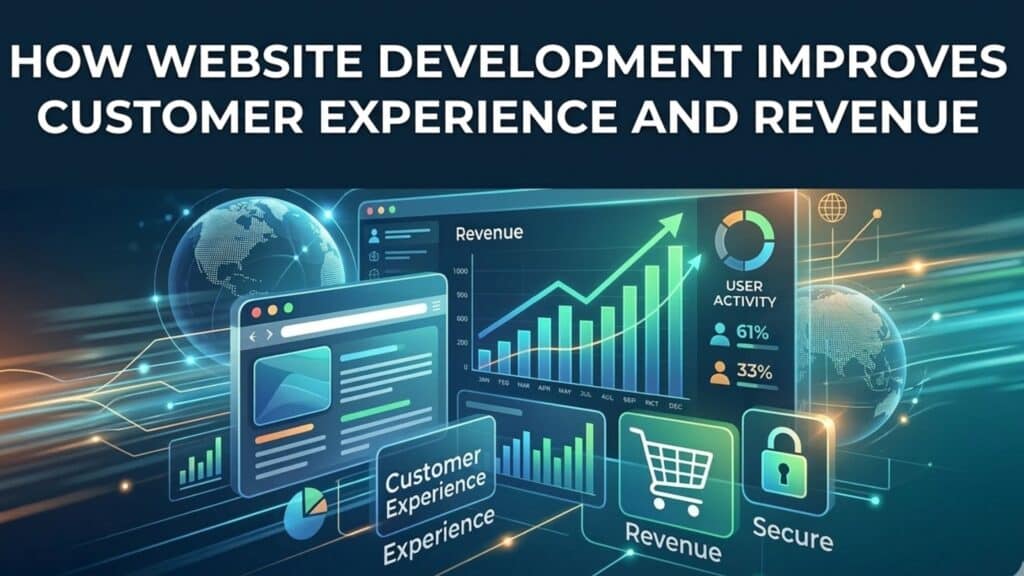
How Website Development Improves Customer Experience and Revenue

Objective The objective of this blog is to shift the reader’s mindset from seeing a website as a “digital expense” to seeing it as a high-yield financial asset. By reading this, business owners, CTOs, and founders should realize that generic, slow, or non-interactive sites are actively costing them money in lost conversions and high support overhead. The goal is to demonstrate-through real-world logic-how professional website development and custom web application development services create a seamless user experience that directly scales revenue, reduces operational friction, and builds long-term brand equity in global markets like the USA, UK, and India.   If you’re a CTO or a founder, you already know that “making a website” is the easy part. The hard part is building a digital asset that doesn’t fall over when you scale, doesn’t leak data, and actually turns a visitor into a long-term contract. In the high-stakes markets of the US, UK, and India, the gap between a generic site and high-tier website development is the difference between a business that survives on luck and one that scales on systems. At Mindaptix, we don’t just write code; we build revenue engines. Here is the reality of how technical debt in your web stack is quietly killing your customer experience (CX). 1. The Death of the “Static Brochure” If your website just tells people what you do, you’re stuck in 2015. Modern web application development services are about creating utility. Think about it: Why do users love Shopify or Notion? It’s not because they have “nice colors.” It’s because the interface allows them to achieve a goal with zero friction. When we move a client from a static site to a functional web app-where customers can manage their own subscriptions, view real-time data, or trigger workflows-the customer support tickets drop by half. That’s reclaimed revenue right there. 2. Speed: The Unseen Conversion Killer We’ve all seen the charts where a 1-second delay equals a 10% drop in sales. But here’s the expert take: Speed isn’t just about “fast servers.” It’s about clean architecture. Bloated JavaScript and unoptimized third-party scripts are the “silent taxes” on your business. Professional website development services focus on “Tree Shaking” (removing unused code) and optimizing the Critical Rendering Path. If your site feels heavy, your brand feels heavy. In a world of 5G and instant gratification, “heavy” is expensive. 3. SaaS Development: Building Your Own Moat For enterprise leaders, SaaS development services are the ultimate way to create “stickiness.” When you build a custom dashboard or an internal tool that your clients rely on daily, you aren’t just a vendor anymore; you’re an ecosystem. We recently saw a logistics firm move their manual “track and trace” system into a custom-built SaaS portal. They didn’t just save time; they turned that portal into a premium add-on. They stopped selling a service and started selling a platform. 4. The “Web-App” Hybrid (PWA Strategy) In India and parts of the UK where mobile connectivity can be spotty, website app development services that utilize Progressive Web Apps (PWAs) are game-changers. A PWA allows your site to work offline and load instantly on a second visit. It gives you the “app feel” without the “app store” friction. No one wants to download another 100MB app for a one-time purchase. By giving them an app-like experience through the browser, you remove the biggest barrier to the first sale. 5. Security as Your Best Salesperson In the US and UK, GDPR and SOC2 compliance aren’t just legal boxes to check. They are trust signals. If your site has a “sketchy” checkout flow or lacks clear data-handling transparency, high-ticket clients will bounce. Integrating software development and services with a “Security-by-Design” mindset means you can walk into a pitch and prove your platform is a fortress. That confidence is what closes enterprise deals. 6. Localized CX for Global Markets A site that works in New York might fail in Mumbai if you haven’t considered local payment gateways, regional latency, or specific UX preferences. Best website development services account for regional nuances-integrating UPI for India, specialized credit card processing for the US, and VAT compliance for the UK-all within the same codebase. A Real Scenario: The “Leaky Bucket” Fix A client came to us with high traffic but low conversions. They thought they had a marketing problem. We looked at the code and found their “Contact Us” form was firing three different tracking scripts that slowed the page to a crawl on mobile. The Fix: We rebuilt the lead-gen flow using a modern React framework. The Result: Page load went from 6 seconds to 1.2 seconds. Leads doubled overnight without spending a single extra dollar on ads. 5 Non-Negotiable Takeaways Utility > Information: Give the user a tool to solve their problem, not just a page to read.  Architecture is Marketing: A slow site makes a great product look cheap.  SaaS = Retention: Custom portals turn one-off customers into lifelong users.  Security is a Feature: Use your data protection as a competitive advantage.  Build for the Edge: Ensure your site is as fast in London as it is in Delhi. FAQ: The Questions We Actually Get Asked 1. Why shouldn’t I just use a cheap template? Templates are like generic suits; they “fit” everyone but look good on no one. They come with “bloat” (code you don’t need) that slows you down and makes SEO a nightmare.   2. How do web application services differ from basic web design? Design is how it looks; development is how it works. A web application handles logic-it processes data, talks to your CRM, and performs tasks.   3. Is mobile-first still the priority? Yes, but with a twist. It’s now about “Mobile-Fluent” design-ensuring the thumb-reach and navigation are as natural as a native iPhone app.   4. How does custom software help my ROI? By automating manual tasks. If a custom web tool saves your team 10 hours a week, the software pays for itself in months.   5.

How Website Development Improves Customer Experience and Revenue Read More »

website development cost

Website Development Cost Guide for Businesses in 2026

Introduction For most modern businesses, the website is no longer just a marketing asset-it is often the core digital infrastructure of the company. It generates leads, supports sales, integrates with internal systems, and sometimes even acts as the product itself. Yet one question continues to dominate conversations with founders, CTOs, and enterprise leaders: “What is the real Website Development Cost?” The answer varies widely. A simple business website might cost a few thousand dollars, while enterprise platforms or SaaS-based web products can reach six-figure investments depending on architecture, integrations, and scale. Understanding cost is not just about budgeting. It’s about making strategic decisions-choosing the right architecture, development partner, and technology stack so the platform can grow with the business. This guide explains what drives website development costs in 2026, how businesses typically invest in digital platforms, and how decision-makers can avoid expensive mistakes. Why Website Development Matters for Business Growth Just as companies once invested in physical storefronts, today they invest in digital platforms. Customers research businesses online before making decisions, compare competitors, and evaluate credibility through websites. A strong website delivers several strategic advantages: Increased brand credibility Higher lead generation and conversions Better user experience for customers Integration with marketing, analytics, and CRM systems Scalable digital infrastructure for business growth Businesses that ignore this often struggle to compete. In many industries, the website is the first interaction a customer has with a brand, making performance, design, and functionality critical. Key Factors That Influence Website Development Cost Website development costs are determined by several technical and strategic factors. Understanding these helps businesses plan budgets realistically. 1. Type of Website The biggest cost driver is the type of website being built. Basic business website These typically include: Home page About page Services pages Contact form Basic CMS Estimated cost: $3,000 – $10,000 Corporate website These include more advanced features: Custom UI/UX design SEO optimization blog system integrations with CRM tools Estimated cost: $10,000 – $40,000 Web application or SaaS platform These are much more complex and often require: user authentication dashboards APIs automation cloud infrastructure Estimated cost: $40,000 – $200,000+ Custom web applications require deeper engineering and often involve web application development services instead of simple website builds. Design and User Experience Costs Many businesses underestimate how important UX design is to website success. A well-designed interface improves: engagement conversions user retention brand perception Professional UX design usually includes: user research wireframes prototypes mobile optimization accessibility improvements Template websites are cheaper, but custom design often delivers better results for businesses aiming to scale. Industry developers frequently emphasize that custom design and UX work can significantly increase development costs, but it also improves conversions and user engagement. For companies competing in crowded industries, investing in UX design often produces a higher ROI than cutting costs in the design phase. Technology Stack and Development Complexity The technologies used to build the platform also affect cost. Modern web platforms often include: Frontend technologies React Next.js Vue Backend technologies Node.js Python .NET Infrastructure AWS Google Cloud Azure For simple websites, CMS platforms like WordPress or website builders may be enough. However, enterprise systems require custom architectures capable of handling large amounts of traffic and data. Custom-coded websites can cost $5,000 to $30,000 or more depending on complexity, with additional hosting and maintenance expenses. Organizations seeking scalability usually invest in custom architecture built by experienced teams or the best app development company with expertise in enterprise platforms. Integrations and Features That Increase Costs Modern websites rarely operate independently. They integrate with multiple tools such as: CRM platforms payment gateways marketing automation tools analytics dashboards inventory systems ERP software Each integration adds development time and complexity. For example: An eCommerce website may require payment gateway integration shipping management tax calculation systems inventory tracking Similarly, SaaS companies require subscription billing systems role-based user access real-time dashboards This is why feature requirements often determine the final Website Development Cost more than page count. Real-World Business Use Cases Understanding real scenarios helps explain why website costs vary. Case Study 1: Startup SaaS Platform A fintech startup required: landing pages product dashboard payment gateway integration customer onboarding system Estimated development investment: $50,000+ The platform became the company’s primary product interface. Case Study 2: Corporate Website Transformation A logistics company replaced its outdated website with a platform integrating: shipment tracking CRM systems automated lead generation tools Estimated cost: $35,000 The upgrade increased inbound leads and improved customer communication. Case Study 3: Healthcare Technology Portal A healthcare organization required: secure patient dashboards encrypted data storage compliance with healthcare regulations Estimated investment: $120,000+ Projects like this often combine Website Development Services with enterprise software development expertise. Ongoing Website Costs Businesses Should Plan For Launching a website is only the beginning. Ongoing costs are essential for maintaining performance and security. Typical recurring expenses include: Hosting and infrastructure Shared hosting may cost a few dollars monthly, while enterprise cloud infrastructure can cost thousands annually depending on traffic and storage. Security updates Regular security patches and monitoring protect websites from cyber threats. Maintenance Bug fixes, system updates, and feature improvements are ongoing tasks. Content and SEO Content marketing and SEO are essential for driving traffic and maintaining search visibility. Businesses usually allocate 15–25% of the original development cost annually for maintenance and improvements. Common Website Development Challenges Even experienced organizations encounter challenges during development. 1. Poor project planning Businesses often start development without clearly defining goals. Solution: Conduct discovery sessions and technical planning before development begins. 2. Choosing the cheapest vendor Low-cost development may lead to: poor code quality security vulnerabilities scalability issues Solution: Work with experienced teams offering professional Website Development Services. 3. Ignoring scalability Many companies build websites for current needs rather than future growth. Solution: Use scalable cloud infrastructure and modular architecture. 4. Lack of long-term strategy A website should evolve alongside the business. Solution: Choose development partners that offer long-term product development expertise. How to Choose the Right Development Partner Selecting the right development team significantly impacts project success. Businesses should evaluate

Website Development Cost Guide for Businesses in 2026 Read More »

App Features

Top App Features That Improve Retention & Engagement

Getting users to download your app is expensive. Keeping them is where the real battle begins. Most businesses focus heavily on acquisition – ad spend, ASO, influencer campaigns – but retention quietly determines profitability. If users drop off after the first week, growth stalls no matter how strong your marketing is. After working with startups, enterprises, and global product teams across the US, UK, and India, one pattern is clear: retention is not driven by “more features.” It’s driven by the right features – implemented strategically. Whether you’re partnering with one of the best app development companies or scaling internally with a mobile app development company, understanding what truly keeps users engaged can transform your growth curve. Let’s break down the app features that consistently improve retention – and why they work. 1. Intelligent Onboarding That Reduces Friction Retention starts in the first five minutes. If users feel confused, overwhelmed, or forced to complete long forms, they leave. Strong onboarding reduces time-to-value. What Works Progressive onboarding (step-by-step guidance) Contextual tooltips instead of long tutorials Social or single-tap login Personalized setup questions Real-World Scenario A fintech startup we advised reduced drop-offs by redesigning onboarding into three lightweight screens. Instead of asking for full KYC details upfront, they allowed users to explore basic features first. Result? Higher activation rates and stronger day-7 retention. An experienced iOS mobile app development company understands how to design native onboarding experiences that feel intuitive rather than instructional. 2. Personalization That Feels Useful, Not Intrusive Users stay where they feel understood. Personalization goes beyond addressing someone by their first name. It’s about tailoring content, notifications, and experiences based on behavior. Practical Examples Ecommerce apps recommending products based on browsing history Fitness apps adjusting workouts based on performance Healthcare apps tracking symptoms and offering contextual suggestions In healthcare app development, personalization must balance engagement with privacy. A symptom-tracking app that adapts recommendations based on logged data increases trust – but only if data security is airtight. The key insight? Personalization must solve a problem. If it feels random, users ignore it. 3. Smart Push Notifications (Not Notification Spam) Push notifications are powerful – and dangerous. Too many, and users disable them. Too few, and engagement drops. Retention improves when notifications are: Behavior-triggered Time-zone optimized Value-driven For example: “Your weekly health report is ready.” “Items in your cart are low in stock.” “You’re close to completing your savings goal.” One retail client improved re-engagement by replacing promotional pushes with personalized restock alerts. Click-through rates improved because the message mattered. The best app development companies treat notifications as part of a long-term retention strategy – not a marketing megaphone. 4. Seamless Performance & Speed Optimization Nothing destroys retention faster than lag. It doesn’t matter how visually stunning your app is. If it crashes, freezes, or drains battery, users leave. Performance optimization includes: Efficient API architecture Optimized media loading Lightweight backend calls Offline capabilities where relevant A global travel app struggled with slow loading times in regions with weaker internet infrastructure. After optimizing backend response times and implementing caching, session duration improved significantly. This is where partnering with a technically mature mobile app development company becomes critical. Performance is architecture-driven, not cosmetic. 5. In-App Community & Social Proof Humans stay where other humans are active. Community-driven features increase emotional attachment: User forums Comment sections Peer challenges Social sharing integrations For SaaS platforms, simple engagement features like collaborative dashboards or shared workspaces increase stickiness. A project management app integrated team performance insights and shared milestone celebrations. Teams began logging in daily – not because they had to, but because visibility mattered. Retention grows when the app becomes part of users’ routines. 6. Gamification That Encourages Habit Formation Gamification works – but only when aligned with user goals. Examples: Progress bars Achievement badges Reward tiers Daily streak tracking Fitness and language-learning apps are classic examples. But gamification isn’t limited to consumer apps. In healthcare app development, medication adherence apps use streak systems to encourage consistency. In enterprise SaaS, employee training platforms reward module completion. The psychology is simple: visible progress increases motivation. 7. Continuous Value Through Data Insights Apps that generate insights outperform apps that simply store data. Users stay when they receive feedback. Examples: Weekly spending analysis Health improvement trends Productivity summaries Sales performance breakdowns In enterprise apps, analytics dashboards often drive daily engagement. When executives see actionable insights, logging in becomes necessary. This is where AI-backed analytics integrated during development by top-tier teams – often among the best app development companies – create long-term differentiation. 8. Seamless Cross-Platform Experience Retention improves when users can switch devices without friction. Start on mobile, continue on web Real-time sync Consistent UI patterns Secure cloud storage Many businesses underestimate how important cross-platform continuity is. For example, a B2B SaaS client saw increased engagement after launching a lightweight web dashboard that complemented their mobile app. Users could monitor activity from their desktop during work hours and use mobile on the go. A capable mobile app development company ensures architecture supports scalability beyond one device. Mini Case Study: Healthcare App Retention Strategy A healthcare startup building a chronic condition management app struggled with 30-day retention. The issue wasn’t feature quantity. It was value clarity. The solution included: Simplified onboarding AI-driven symptom pattern recognition Weekly progress insights Medication reminders with adaptive scheduling Doctor communication integration Within months, active usage increased because the app became part of patients’ daily routines. Healthcare app development requires a delicate balance between usability, compliance (HIPAA/GDPR), and emotional trust. Retention depends on credibility as much as functionality. Strategic Insights for Decision-Makers If you’re a CTO or founder evaluating retention improvements, consider these realities: Retention is cheaper than acquisition. Feature decisions should be data-backed, not trend-driven. Engagement loops must align with business objectives. Architecture scalability determines long-term performance. Building retention features isn’t about copying competitors. It’s about understanding user behavior and building around it. Common Retention Challenges (And Practical Solutions) Challenge 1: Feature Overload Too many features confuse users. Solution: Prioritize clarity. Remove or

Top App Features That Improve Retention & Engagement Read More »

AI Strategy

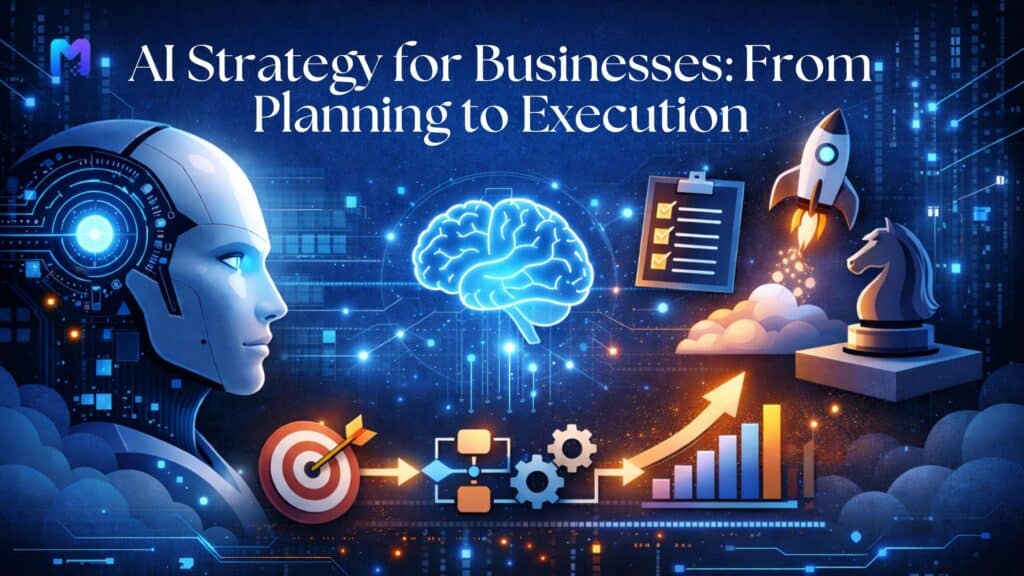
AI Strategy for Businesses: From Planning to Execution

Many businesses across the USA, UK, and India are investing in artificial intelligence-but far fewer are seeing measurable returns. The problem isn’t the technology. It’s the absence of a clear, execution-ready AI strategy. As someone who has worked closely with product teams, CTOs, and founders building scalable digital platforms-from ecommerce mobile app development to healthcare software development-I’ve seen a consistent pattern. Companies rush into tools before defining outcomes. They experiment without aligning AI initiatives to business goals. And they treat AI like a feature rather than a transformation layer across the organization. A successful AI strategy is not about adopting the latest model. It’s about designing a roadmap that connects data, product, operations, and customer experience-then executing it with discipline. Let’s break down how to do it right. 1. Start With Business Outcomes, Not Algorithms AI must solve a business problem. That sounds obvious, yet it’s often overlooked. Before writing a single line of code, leadership teams should answer: What revenue goal are we trying to impact? Which operational inefficiencies are draining cost? Where are customers dropping off? What decisions are currently made on instinct rather than data? For example: AI could improve product recommendations in the creation of mobile e-commerce apps, increasing the average order value. It could reduce manual labor in healthcare software development by automating patient triage procedures. When AI is anchored to measurable KPIs-conversion rate, churn reduction, processing time, fraud detection accuracy-it becomes strategic rather than experimental. 2. Audit Your Data Infrastructure Before Building Anything When AI is connected to measurable KPIs like conversion rate, churn reduction, processing speed, and fraud detection accuracy, it becomes strategic rather than experimental. Before beginning any construction, audit your data infrastructure. The strength of AI depends on the data it uses to learn. Performing a data maturity assessment is one of the initial stages of planning: Where is your data stored? Is it structured and clean? Do systems integrate across departments? Are there governance and compliance measures in place? For companies operating in the US, UK, and India, compliance matters. Healthcare applications, for instance, must align with regulatory frameworks such as HIPAA (US) or GDPR (UK). An AI system trained on fragmented or non-compliant data will create risk rather than value. From a product engineering perspective, your AI roadmap should align with your broader mobile app development and web platform architecture. Integration planning at this stage prevents costly rebuilds later. 3. Choose the Right AI Use Cases for Your Industry Not every AI use case fits every business model. Strategic prioritization is critical. Here are high-impact areas we often implement: Ecommerce Platforms Personalized recommendations Dynamic pricing engines AI-driven inventory forecasting Chatbots with contextual intelligence For ecommerce mobile app development, AI can significantly improve retention by tailoring product feeds in real time. Healthcare & Healthtech Predictive risk scoring Automated claims processing Patient engagement tools Clinical decision support systems Healthcare software development requires special attention to model explainability and compliance. AI must be transparent and auditable. SaaS & Enterprise Applications Workflow automation Predictive analytics dashboards Smart reporting engines Customer churn prediction Companies that position themselves among the best app development companies understand that use case prioritization determines ROI. 4. Build an Execution Framework: Pilot, Validate, Scale An AI strategy without a phased execution plan is just a presentation deck. The most effective structure looks like this: Pilot Select one high-impact, low-risk use case Develop a minimum viable AI model Test with a controlled user group Measure defined KPIs Optimization Refine based on real user behavior Improve model accuracy Strengthen infrastructure Scale Deploy across full user base Integrate with mobile and web systems Monitor continuously In iOS mobile app development company projects, for example, AI features like predictive search or smart notifications are first tested in beta environments before full rollout. Execution discipline separates visionary companies from sustainable ones. 5. Align AI With Product Engineering and App Development AI cannot operate in isolation. It must integrate seamlessly with product design, backend architecture, and user experience. When working with businesses that aim to become the best app development company in USA or expand across international markets, we emphasize: Scalable backend architecture API-driven integrations Modular AI components Performance optimization For mobile app development projects, this means: Ensuring AI features don’t slow app performance Designing intuitive UX around smart features Making recommendations feel helpful, not intrusive A poorly integrated AI feature harms trust. A well-integrated one feels invisible and indispensable. 6. Address the Real Challenges Early No AI strategy is complete without acknowledging risks. Data Privacy & Security Businesses in the US, UK, and India must comply with regional regulations. Strong encryption, access controls, and audit logs are non-negotiable. Talent Gaps AI requires collaboration between data scientists, product managers, and engineers. Many organizations underestimate cross-functional coordination. Unrealistic Expectations AI improves probability and efficiency-it does not guarantee perfection. Setting accurate expectations with stakeholders avoids disillusionment. Technical Debt Legacy systems can block AI integration. Sometimes modernization must precede automation. Companies recognized among the best app development companies approach AI with engineering rigor-not hype. 7. Real-World Scenario: AI in Action Let’s consider a practical example. Case: Ecommerce Brand Expanding to the US and UK A mid-sized ecommerce brand wanted to improve conversion rates across international markets. Their challenge: high traffic, low repeat purchases. Strategy: Implement AI-powered recommendation engine Introduce personalized push notifications Use predictive analytics for inventory management Execution: Pilot on one product category Integrate AI modules into mobile app backend Optimize recommendation logic based on region-specific behavior Result: Improved session time, increased average cart value, and better inventory forecasting. The key wasn’t just AI-it was alignment between data strategy, ecommerce mobile app development, and customer experience design. 8. Measuring AI Success Beyond Vanity Metrics Tracking downloads or impressions isn’t enough. Measure: Revenue per user Customer lifetime value Operational cost reduction Process turnaround time Engagement retention rate In healthcare software development, measurable impact might be reduced administrative workload or improved patient scheduling efficiency. An AI strategy must connect technical performance to financial impact. Key Takeaways AI strategy must

AI Strategy for Businesses: From Planning to Execution Read More »

AI Analytics

How AI Analytics Helps Businesses Make Better Decisions

Running a business today feels very different than it did even five years ago. Markets move faster. Customer expectations change overnight. Trends appear, explode, and disappear within weeks. In this environment, making decisions based purely on instinct is risky. That’s why more companies are turning to AI analytics – not as a buzzword, but as a practical decision-making partner. AI analytics doesn’t replace leadership. It strengthens it. It gives founders, managers, and executives the clarity they need to move forward with confidence instead of uncertainty. When implemented properly through reliable ai software development services, AI becomes part of your company’s strategic foundation – not just another tech upgrade. Let’s explore how AI analytics actually helps businesses make better decisions – in real, human terms. The Real Problem: Too Much Data, Not Enough Clarity Most businesses already have data. Sales reports Customer feedback Website analytics Marketing performance dashboards CRM records But here’s the challenge: data alone doesn’t create direction. Many leadership teams spend hours reviewing spreadsheets and dashboards, only to walk away asking, “Okay, but what should we actually do?” AI analytics bridges that gap. It doesn’t just present numbers. It identifies patterns, predicts outcomes, and recommends next steps. Instead of asking, “What happened last quarter?” You start asking, “What’s likely to happen next – and how do we prepare?” That shift alone changes the way businesses operate. From Reactive Decisions to Predictive Strategy Traditional analytics looks backward. AI analytics looks forward. For example: It can identify which customers are likely to stop buying soon. It can forecast demand spikes before they happen. It can predict which marketing campaign will outperform others. When integrated into systems through web application development services, these predictive insights become part of daily operations. Decision-makers don’t have to request reports – they receive intelligent alerts in real time. That means fewer surprises and more control. Smarter Customer Understanding Every business wants to understand its customers better. But surveys and feedback forms only reveal part of the story. AI analytics goes deeper. It analyzes behavior patterns – what users click, how long they stay, what they ignore, when they leave. It connects these signals to uncover hidden insights about preferences, buying habits, and engagement triggers. For businesses investing in hybrid mobile app development, AI can be embedded directly into apps to personalize experiences in real time. For example: Recommending products based on browsing history Adjusting content based on engagement patterns Sending offers when users are most likely to convert This level of personalization doesn’t just increase sales. It builds stronger relationships. And stronger relationships drive long-term growth. Making Marketing Budgets Work Harder Marketing decisions are often based on trial and error. Teams test campaigns, wait for results, and adjust. AI analytics shortens that cycle dramatically. Instead of waiting weeks for performance data, AI systems analyze campaigns continuously. They detect which audience segments respond best, which messaging resonates, and where ad spend is being wasted. When built into your ecosystem through scalable software development services, these insights become automatic. Marketing teams can shift budgets quickly, optimize targeting, and improve ROI without guesswork. The result? Smarter spending and better returns. Improving Operational Efficiency AI analytics isn’t just about customers and revenue. It also improves internal operations. Through custom enterprise software development, AI can be integrated into business systems to: Identify workflow bottlenecks Predict supply chain disruptions Optimize staffing schedules Reduce inventory waste For example, AI can analyze historical purchasing data and forecast demand more accurately. That prevents overstocking or stockouts – both of which impact profitability. Small operational improvements may seem minor individually. But together, they create major efficiency gains. Better Mobile Decision-Making for Leaders Executives and managers are rarely sitting at one desk all day. Decisions happen during meetings, travel, and client interactions. This is where ios app development services and hybrid mobile solutions become powerful. Imagine opening your company’s mobile dashboard and seeing: AI-generated sales forecasts Alerts about unusual activity Customer churn risk predictions Real-time performance summaries No delays. No waiting for emailed reports. Just actionable insight when you need it. Mobile-accessible AI analytics allows leaders to act quickly and confidently. Supporting Startups With Smarter Growth Startups face constant uncertainty. They have limited resources, evolving product ideas, and aggressive growth targets. Every decision matters. AI analytics helps startups: Validate product-market fit Understand early user behavior Forecast revenue scenarios Identify high-growth channels Instead of scaling blindly, startups can scale strategically. By integrating AI early through flexible ai software development services, startups build intelligence into their product from the beginning – not as an afterthought. Enterprise-Level Strategic Advantage Large enterprises often struggle with data overload. Different departments operate in silos. Insights don’t always connect. With proper custom enterprise software development, AI analytics can unify data from: Sales systems Marketing platforms Customer support channels Financial software When these systems communicate, AI identifies patterns across the entire organization. For example, it may discover that certain support issues directly impact sales performance – something that might not be obvious when teams operate separately. AI turns disconnected information into strategic alignment. Reducing Human Bias in Decision-Making We all have biases. It’s human nature. We may favor familiar strategies, rely on past success and underestimate emerging risks. AI analytics doesn’t have emotional bias. It evaluates patterns objectively. That doesn’t mean leaders stop using judgment. It means decisions are supported by evidence, not assumptions. This combination – human experience plus AI insight – creates stronger outcomes. Real-Time Risk Detection Risk management is another area where AI shines. AI systems can detect: Unusual transaction activity Fraud indicators Performance anomalies Sudden drops in engagement Instead of discovering problems weeks later, businesses receive alerts immediately. That speed protects revenue, brand reputation, and customer trust. When integrated through reliable web application development services, AI-powered monitoring becomes a continuous safety net. Building an AI-Driven Business Culture Technology alone doesn’t create transformation. To truly benefit from AI analytics, businesses must: Encourage data-driven decision-making Invest in clean and organized data systems Continuously refine AI models Align AI insights with clear business

How AI Analytics Helps Businesses Make Better Decisions Read More »

Product Development

Product Development Lifecycle: From Idea to Market

– A Deep Dive With Real-World Relevance Nowadays, it takes more than simply code to create a successful digital product. It involves following a planned path, from discovering a compelling concept to providing a ready-to-sell solution that pleases customers and propels company expansion. We refer to this process as the Product Development Lifecycle (PDLC), a strategic road map that links strategy and implementation. In this blog, we’ll break down this lifecycle step by step, humanize the process for founders, product managers, and tech enthusiasts, and show how it ties directly into modern digital services like business mobile app development, web app development services, software development for startups, healthcare software development services, and ecommerce app development – especially as delivered by leading digital innovators like MindAptix. Ideation & Discovery – Where Ideas Spark Life Every innovation begins with a thought – that “what if?” moment. Ideation isn’t just brainstorming; it’s identifying real human problems worth solving. Successful products are born where genuine user pain points meet insights from research and empathy. At this stage, teams answer questions like: What challenge are we addressing? Who experiences this challenge and why? What existing solutions fall short? This phase involves market research, competitor analysis, and user interviews to validate assumptions before any development begins. Whether it’s envisioning a mobile app to streamline logistics or a healthcare tool that empowers patients, solid ideation anchors the product in reality. Tools like user personas, customer journey maps, and emerging tech trend analysis help validate an idea before committing resources. This initial clarity saves time and money down the road. Concept Validation & Feasibility – Building Confidence Early Once an idea feels promising, the next step is to validate it. This means gauging whether: The market truly needs the product. Users would pay for it. It can be built with current technology and budget constraints. In digital product development – from software development for startups to healthcare software development services – this phase often includes early prototyping, wireframes, and feedback from potential users. With services like those offered by MindAptix, teams collaborate to refine the concept, visualize features through mockups, and create early MVP plans that shape the direction of business mobile app development or ecommerce app development. This step also involves technical feasibility analysis (can we build what we imagine?) and business viability analysis (will it grow profitably?), setting the foundation for the design and implementation phases. Design & Prototyping – Translating Ideas Into Reality Good design isn’t decoration – it’s a strategic blueprint for how users feel and interact with a product. During this stage: UX designers map user flows. UI designers bring screens to life. Teams create interactive prototypes to test real user behavior. With tools like Figma or Adobe XD, prototypes become functional enough for users to explore and give feedback before development begins. Design is particularly critical in web app development services and mobile app projects, where usability directly impacts conversion, retention, and customer satisfaction. Companies like MindAptix emphasize mobile-first design strategies and UX optimization to ensure products not only work but delight customers across platforms. Development – Bringing Code to Life This is where the product takes tangible form. Developers transform designs and prototypes into real, functional code. This phase includes: Backend architecture and database structuring API development and integration Frontend implementation for web and mobile interfaces Depending on the scope, development can follow agile, iterative, or incremental approaches, allowing frequent feedback and refinement. For example: Business mobile app development involves native or cross-platform coding for iOS and Android. Web app development requires responsive front-end interfaces and scalable backend services. Healthcare software development services often need compliance, secure data handling, and performance optimization. A strong development process ensures the software is scalable, modular, and maintainable – qualities essential for products that grow with user expectations. Testing & Quality Assurance – Confidence in Every Release No product should reach users without rigorous testing. At this phase, quality assurance (QA) ensures the product works as expected across devices, platforms, and user scenarios. Teams perform: Functional testing Usability testing Load and performance tests Security validation (especially important in healthcare and ecommerce) Thorough QA prevents costly mistakes post-launch and reinforces trust with users. An integrated testing process – whether automated or manual – helps digital solutions run seamlessly, improving user retention and brand credibility. Launch & Deployment – Entering the Market After months of planning, designing, building, and testing, it’s time to bring the product to life in the real world. Deploying software involves: Publishing mobile apps to stores (App Store, Google Play) Deploying web applications to cloud platforms Configuring security, analytics, and monitoring tools But launch isn’t the finish line – it’s a new beginning. A smart launch strategy includes: Marketing campaigns Analytics tracking Early user support and onboarding This phase also kickstarts the product’s evolution, guided by data and feedback. Post-Launch Optimization & Growth – Learn, Iterate, Improve Once the product is live, the work continues. The first users offer invaluable feedback – what works, what doesn’t, and what’s missing. Successful products thrive when teams: Monitor key performance metrics Analyze user behavior Release regular updates Optimize for performance and experience For startups and enterprises alike, this means evolving the product to stay relevant, competitive, and valuable to users. Agile teams embrace this iteration loop – enhancing features, fixing bugs, and innovating based on real customer insights. Why This Lifecycle Matters – In Plain Terms Across industries and technologies, the PDLC: Reduces risk by validating ideas early. Improves alignment between business goals and user needs. Accelerates time to market with structured processes. Enhances product quality through continuous testing and improvements. Whether you’re building a simple MVP or a full-featured platform, each step ensures your product is purposeful, usable, and ready to grow. How Companies Like MindAptix Translate this into Action Today’s digital market demands versatility. Leaders in digital product delivery like MindAptix take this lifecycle and operationalize it with real engineering expertise: End-to-end business mobile app development and web app development services tailored to

Product Development Lifecycle: From Idea to Market Read More »

AI Governance

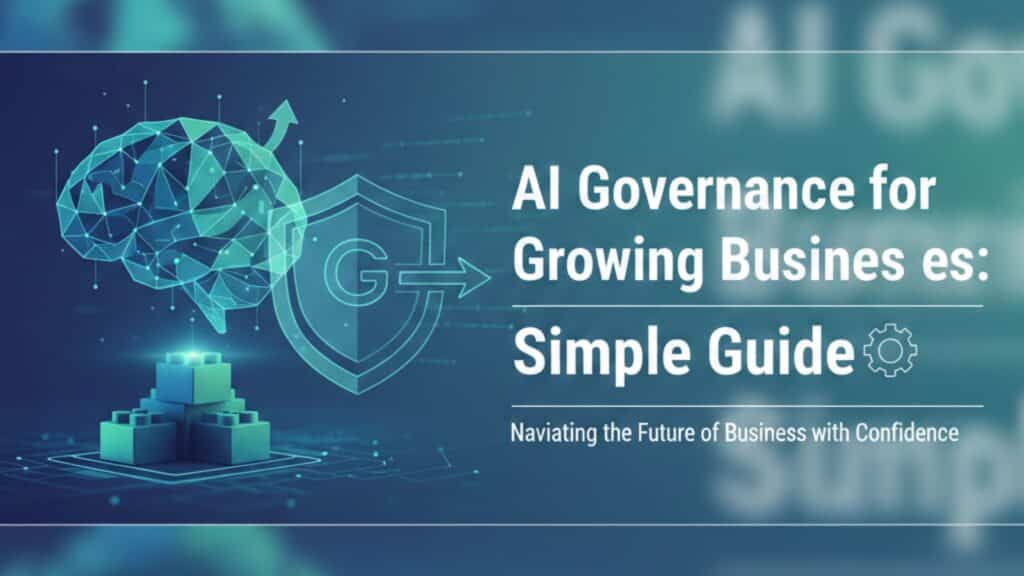
AI Governance for Growing Businesses: Simple Guide

AI is no longer a “big enterprise only” concept. Today, startups use AI in chatbots. Mid-sized companies use it for analytics. Growing brands use it inside business mobile app development to personalize user experiences. But here’s the part most businesses overlook: If AI is guiding decisions, automating actions, or handling user data – who is governing it? AI governance sounds complicated. Legal. Corporate. Overwhelming. It doesn’t have to be. Let’s break it down in a simple, practical way. What Is AI Governance (In Plain English)? AI governance means setting clear rules for how your AI systems: Use data  Make decisions  Stay secure  Remain fair  Stay compliant  It’s not about slowing innovation. It’s about protecting your business while you grow. If you’re already working with ai software development services, governance should be part of the discussion – not an afterthought. Why Growing Businesses Can’t Ignore It Early-stage companies often move fast. You test ideas.> You launch features.> You experiment. That speed is powerful. But once your product scales, AI decisions start affecting: Customer trust  Revenue outcomes  Brand reputation  Compliance exposure  Without structure, small AI mistakes become big business problems. Governance helps you scale safely. Where AI Is Quietly Running Your Business Many growing companies use AI inside: Recommendation engines  Fraud detection systems  Predictive analytics dashboards  Customer support chatbots  Automated marketing tools  It’s also increasingly embedded inside software product development services – from smart dashboards to real-time automation engines. If AI influences decisions, governance should guide it. The 5 Foundations of Practical AI Governance You don’t need a 200-page policy document. Start with five simple pillars. 1. Data Responsibility Ask: Where is data coming from?  Do users know how it’s being used?  Is sensitive information protected?  Whether you’re building web application development services or scaling hybrid mobile app development, AI models are only as responsible as the data behind them. Poor data practices create long-term risk. Clear data policies reduce that risk. 2. Transparency in Decision-Making If your AI denies a loan, filters resumes, or prioritizes content – can you explain why? Growing businesses don’t need perfect explainability frameworks. But they do need: Clear documentation  Defined logic  Human oversight  This is especially important in regulated industries. Transparency builds trust. 3. Human Oversight AI should assist – not fully control – critical decisions. For example: Automated fraud alerts should allow manual review.  AI-driven customer responses should escalate complex cases.  Predictive analytics should guide strategy, not dictate it blindly.  When AI is integrated into business mobile app development, keeping a human layer prevents automated mistakes from scaling. 4. Security and Risk Management AI systems expand your attack surface. Security must cover: Data encryption  Access controls  Model protection  API monitoring  This is especially critical in software development embedded systems, where AI interacts with hardware, IoT devices, or operational systems. A security gap in AI can affect entire infrastructures. 5. Continuous Monitoring AI models drift over time. Customer behavior changes. Market trends shift. Data evolves. Governance means regularly reviewing: Model accuracy  Bias indicators  Performance metrics  Unexpected behavior  Without monitoring, yesterday’s accurate model becomes tomorrow’s liability. Governance Is Not Just for Large Enterprises Many founders assume only big corporations need governance frameworks. But smaller businesses face unique risks: Fewer legal buffers  Limited crisis budgets  Higher reputation vulnerability  If you’re partnering with one of the top app development companies, governance should be discussed early in planning – not after deployment. Building responsibly from day one is easier than fixing issues later. AI Governance in App Development Let’s make this practical. Imagine you’re building: A healthcare mobile app  A fintech dashboard  A logistics tracking system  A SaaS analytics platform  AI may handle: Predictions  Risk scoring  User recommendations  Automation flows  In hybrid mobile app development or custom web application development services, governance should include: Role-based data access  Secure API integrations  Clear logging systems  Audit-ready documentation  This doesn’t slow development. It strengthens it. The Cost of Ignoring AI Governance When governance is missing, problems show up as: Biased decision outputs  Data misuse complaints  Security breaches  Regulatory penalties  Customer trust erosion  The financial cost is one thing. The brand damage is harder to repair. Governance protects both. How Growing Companies Can Start Simply You don’t need a legal department to begin. Start with: A written AI usage policy  Clear data access rules  Basic compliance checks  Documented decision flows  Assigned accountability roles  When working with ai software development services, ask how governance is integrated into architecture and deployment. If the answer is unclear, that’s a signal to look deeper. Governance and Innovation Can Coexist Some leaders fear governance will slow innovation. In reality, it does the opposite. When teams have: Clear rules  Defined boundaries  Security guardrails  Documentation standards  They move faster. There’s less confusion. Less rework. Fewer crises. Governance creates confidence. AI Governance and Long-Term Product Strategy If your company offers or relies on software product development services, governance becomes part of your competitive advantage. Clients increasingly ask: How is data protected?  Is AI explainable?  What compliance standards are followed?  Businesses that answer confidently win trust faster. A Smarter Way to Grow with AI AI is powerful. But power without structure creates risk. Growing businesses don’t need complex frameworks. They need practical discipline. Clear data practices  Human oversight  Security layers  Ongoing monitoring  Transparent systems  That’s it. When AI is built responsibly – whether in business mobile app development, embedded systems, or advanced web application development services – it becomes a growth engine instead of a liability. Final Thoughts AI governance isn’t about restriction. It’s about responsibility. If your company is scaling AI-driven products, governance should grow alongside innovation. The goal isn’t to slow progress. It’s to build technology that customers trust – and that your business can confidently scale for years to come. Key Takeaways AI governance helps growing businesses manage risk while scaling AI-powered products. Clear data policies and human oversight reduce long-term operational and compliance issues. Integrating governance early in business mobile app development prevents costly rebuilds. Security, transparency, and monitoring are essential in modern ai software development services. Responsible

AI Governance for Growing Businesses: Simple Guide Read More »

App Development

Why Cheap App Development Always Costs More Later

If you’ve ever searched for a development partner, you’ve probably asked this first: “How much app development cost?” It’s a normal question. Budgets matter. Every founder wants to launch fast without overspending. But here’s something many businesses realize too late – choosing the lowest price often becomes the most expensive mistake. Let’s talk about why. The Trap of a Low Price Tag When comparing proposals, you might see a huge gap. One company quotes $60,000. Another says they’ll do it for $18,000. It feels obvious, right? But pricing in tech usually reflects depth – not just effort. A lower mobile app development cost often means: No detailed discovery phase Basic UI without real UX research Quick coding without future planning Limited testing No real post-launch support You save money upfront. You lose flexibility later. Apps Are Not Just “Built” – They’re Structured Many people think an app is just screens and buttons. It’s not. Behind every good app is: Backend architecture Database design Security layers Performance optimization Scalability planning When development is rushed to reduce app development cost, these foundations are often weak. And weak foundations always crack under pressure. Growth Changes Everything In the beginning, your app might have: 200 users Limited traffic Simple workflows Everything feels smooth. Then your marketing works. Now you have 20,000 users. Suddenly: The app slows down Servers crash Transactions fail Users complain Cheap builds rarely prepare for scale. Now you’re not improving the app – you’re repairing it. And that repair often costs more than building it properly the first time. Rebuilding Is Where the Real Money Goes Here’s what usually happens: A business hires a low-cost team. The app launches. Problems appear. A second team is hired to fix it. The second team starts with a code audit. Then they say something you don’t want to hear: “This needs to be rebuilt.” Rebuilding includes: Redesigning architecture Cleaning messy code Rewriting unstable modules Migrating data Retesting everything Now your total app development companies cost has doubled. And you’ve lost time. In business, lost time often costs more than money. Cheap Development Often Ignores User Experience A big part of success isn’t just functionality – it’s how the app feels. Low-budget development typically skips: Proper user journey mapping Behavioral research Prototype testing Performance fine-tuning The result? Confusing navigation Complicated onboarding Slow loading screens High uninstall rates Users don’t complain. They just leave. And when users leave, revenue drops. Suddenly the original mobile app development cost doesn’t look like a bargain anymore. Security Is Not Optional Another area where corners get cut? Security. Basic authentication. Weak data validation. No encryption planning. It may seem fine – until something breaks. One security breach can: Damage brand trust Lead to legal issues Cost more than the entire project When evaluating how much app development cost, always ask what security measures are included. If the answer is vague, that’s a red flag. Maintenance Is Where Cheap Projects Collapse Apps don’t end at launch. They require: Updates Bug fixes Performance monitoring OS compatibility upgrades Cheap providers often disappear after delivery. Then you’re left with: No documentation No support No roadmap You’ll spend weeks just understanding the existing code before making improvements. That delay alone increases long-term app development cost. The Difference Between Cost and Value There’s a difference between paying less and paying smart. A reliable partner focuses on: Clear planning before development Scalable backend systems Clean, maintainable code Transparent timelines Ongoing support This is where professional web app development services stand apart from quick-build vendors. You’re not just buying code. You’re investing in stability. What Smart Businesses Look For When companies search for the best app development company in usa, they rarely choose based on price alone. They look for: Process clarity Real case studies Technical strength Long-term partnership mindset Communication transparency Because experienced founders know: Cheap builds create expensive problems. Why Businesses Regret Going Cheap Over time, we’ve seen the same pattern: The app needs new features → the code isn’t flexible Traffic increases → performance drops Integrations are required → architecture isn’t ready Investors ask questions → documentation is missing Now the business isn’t moving forward. It’s fixing yesterday’s shortcuts. That’s the hidden side of low app development companies cost. A Better Way to Think About Budget Instead of asking only: “How much app development cost?” Ask: Will this scale in two years? Can this handle growth? Is this secure? Will I need to rebuild later? The real cost of development is not the invoice you receive today. It’s the total amount you spend over 3–5 years. Quality work lowers that lifetime cost. How Mindaptix Approaches Development At Mindaptix, development starts with understanding the business – not jumping straight into code. The focus stays on: Strong technical foundations Real user experience thinking Scalable systems Clean architecture Long-term maintainability Whether it’s mobile products or advanced web app development services, the goal is simple: Build once. Build properly. Scale confidently. That’s how businesses avoid repeated mobile app development cost surprises later. Cheap Today Can Mean Expensive Tomorrow Choosing low-cost development might feel practical in the short term. But long-term digital products demand: Stability Security Scalability Performance When those are missing, you pay again. And usually, you pay more. If your app is central to your growth, it deserves thoughtful execution – not rushed shortcuts. Because in tech, the cheapest solution is often the most expensive one in disguise. Key Takeaways Choosing the lowest mobile app development cost often leads to higher long-term expenses due to rebuilds and fixes. Weak architecture and poor scalability increase overall app development cost over time. Cheap development usually skips UX research, security, and performance optimization. Rebuilding a poorly built app can double your original app development companies cost. Investing in structured planning and expert web app development services protects your budget long term. FAQs 1. How much app development cost for a business app? The cost depends on features, complexity, platform, backend infrastructure, and integrations. A simple app may cost less, but

Why Cheap App Development Always Costs More Later Read More »

AI-Powered Chatbots

AI-Powered Chatbots: When They Help & When They Don’t

Let’s start with something honest. Most businesses don’t install chatbots because they deeply understand AI. They install them because everyone else is doing it. A competitor adds a chatbot. A SaaS tool suggests automation. A sales consultant says it will reduce costs. So the chatbot goes live. And then one of two things happens: It quietly improves efficiency and nobody complains. Or customers get annoyed and start searching for a phone number. AI-powered chatbots are not good or bad by default. They are useful in specific situations – and completely wrong in others. If you’re running a growing company or working with app programming companies to build digital platforms, this distinction matters more than hype. Let’s talk about reality. When Chatbots Actually Help 1. When Questions Are Predictable If your support inbox is filled with: “Where is my order?” “How do I reset my password?” “What are your pricing plans?” “How do I book a demo?” Then yes – a chatbot can absolutely help. There’s no reason a human should manually respond to the same question 200 times per week. In these cases, automation reduces workload, improves response time, and cuts operational pressure. Many software development outsourcing companies now include chatbot integration as part of broader digital solutions because businesses want efficiency without hiring more staff. And that makes financial sense. 2. When Your Team Is Overwhelmed Early-stage businesses often face this problem: Traffic grows faster than support capacity. Instead of immediately hiring five new support agents, a chatbot can handle the first layer of conversation. It can: Collect basic details Categorize the issue Direct it to the right department That alone can improve internal workflow. But here’s the important part – it works only if there is a human backup system. A chatbot should assist your team, not replace them entirely. 3. When Lead Qualification Matters If you’re an iphone app development company or provide custom tech services, you probably receive a mix of serious and casual inquiries. A few prospects are prepared to move forward immediately. Others are still comparing options and gathering information. And some simply aren’t in a position to spend right now.   A chatbot can ask simple filtering questions like: What’s your estimated budget? When do you plan to launch? What platform do you need? This helps your sales team focus on real opportunities. In that case, the chatbot isn’t replacing human conversation – it’s preparing it. When Chatbots Don’t Work Well Now let’s shift to the other side. This is where many businesses get it wrong. 1. When Customers Are Frustrated If someone is angry about a failed payment or delayed service, the last thing they want is automated responses. Nothing damages trust faster than: “I’m sorry, I didn’t understand your request.” When emotion is involved, automation feels cold. In these moments, human empathy matters more than efficiency. 2. When Businesses Try to Cut Costs Too Aggressively Sometimes chatbots are installed for one reason only: reduce staff expenses. That mindset creates problems. If users: Can’t find a real contact option Get stuck in automated loops Can’t escalate their issue They leave. And lost customers cost more than support salaries. The smartest companies treat chatbots as support tools, not gatekeepers. 3. When Integration Is Poor A chatbot that isn’t connected to your backend systems is just a surface-level widget. If it cannot: Access real-time order data Check account details Sync with CRM Log support tickets Then it creates more confusion. This is where proper web application development services become important. The chatbot must connect to your infrastructure, not operate independently. Without that, it feels fake. The Financial Question: Are Chatbots Worth It? This depends on context. Chatbot implementation affects overall app development charges if you’re building a mobile app or platform. Costs include: Setup AI model training Backend integration Ongoing updates Monitoring If your business receives minimal traffic, the investment may not justify itself yet. But if you’re scaling and your support volume is high, automation often pays off within months through efficiency gains. Again, context matters more than trends. Chatbots in Mobile Apps vs Websites There’s a difference here that many businesses overlook. On websites, chatbots mostly answer general inquiries. Inside mobile apps, they often assist with: Account issues In-app navigation Subscription management If you’re working with app programming companies to build mobile solutions, adding chatbot functionality should be a deliberate decision – not a decorative feature. Sometimes a clean UI and clear instructions work better than automation. The Balanced Approach That Works The companies that get this right follow a simple model: Layer 1: Chatbot handles repetitive queries Layer 2: Human support handles complex situations That’s it. Not full automation and manual support. Balance. Many businesses working with software development outsourcing companies adopt this hybrid model because it keeps operational costs stable while maintaining customer satisfaction. What Businesses Should Ask Before Adding a Chatbot Instead of asking, “Should we add AI?” Ask: What exact problem are we solving? Are customers currently waiting too long? Is our support team overloaded? Can we measure performance improvement? Do we have backend systems ready for integration? Technology should solve specific pain points – not just look modern. How This Fits Into a Broader Digital Strategy Chatbots are just one piece of a larger system. They should integrate with: CRM tools Support ticket systems Mobile apps Admin dashboards When built alongside proper web application development services, they become part of an ecosystem instead of an isolated feature. That’s where experienced partners like Mindaptix focus – building structured digital systems instead of scattered tools. Final Thoughts AI-powered chatbots are not magic. They are not a guaranteed growth hack. They help when: Questions are repetitive Volume is high Systems are integrated Humans remain accessible And also they hurt when: Customers are emotional Automation replaces empathy Integration is weak Cost-cutting becomes the main goal The real advantage doesn’t come from having AI. It comes from knowing when to use it. That’s the difference between adopting technology and using it

AI-Powered Chatbots: When They Help & When They Don’t Read More »